Ungenerated Install

28 skills for Claude Code

Design apps that don’t look generated.

1No gradient text, no emoji. no-slop

Left alone, Claude designs the same app every time: indigo gradients, emoji for icons, a carousel with dots. These skills are the corrections, one rule at a time, and a live board to see every screen move.

/plugin marketplace add iammirrr/ungenerated
/plugin install ungenerated@ungenerated

Same brief, twice

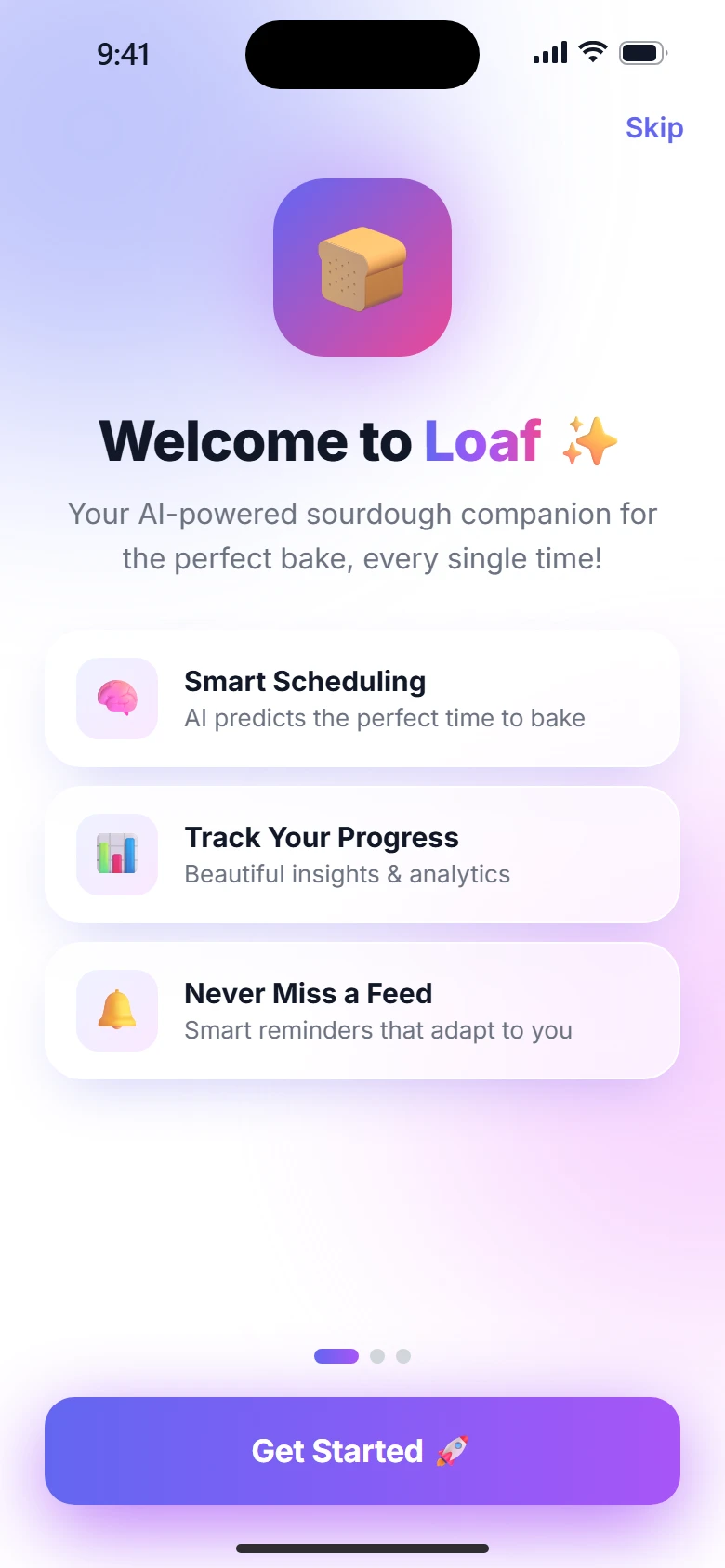
Generated, six apps look like one app. With the skills, none look alike.

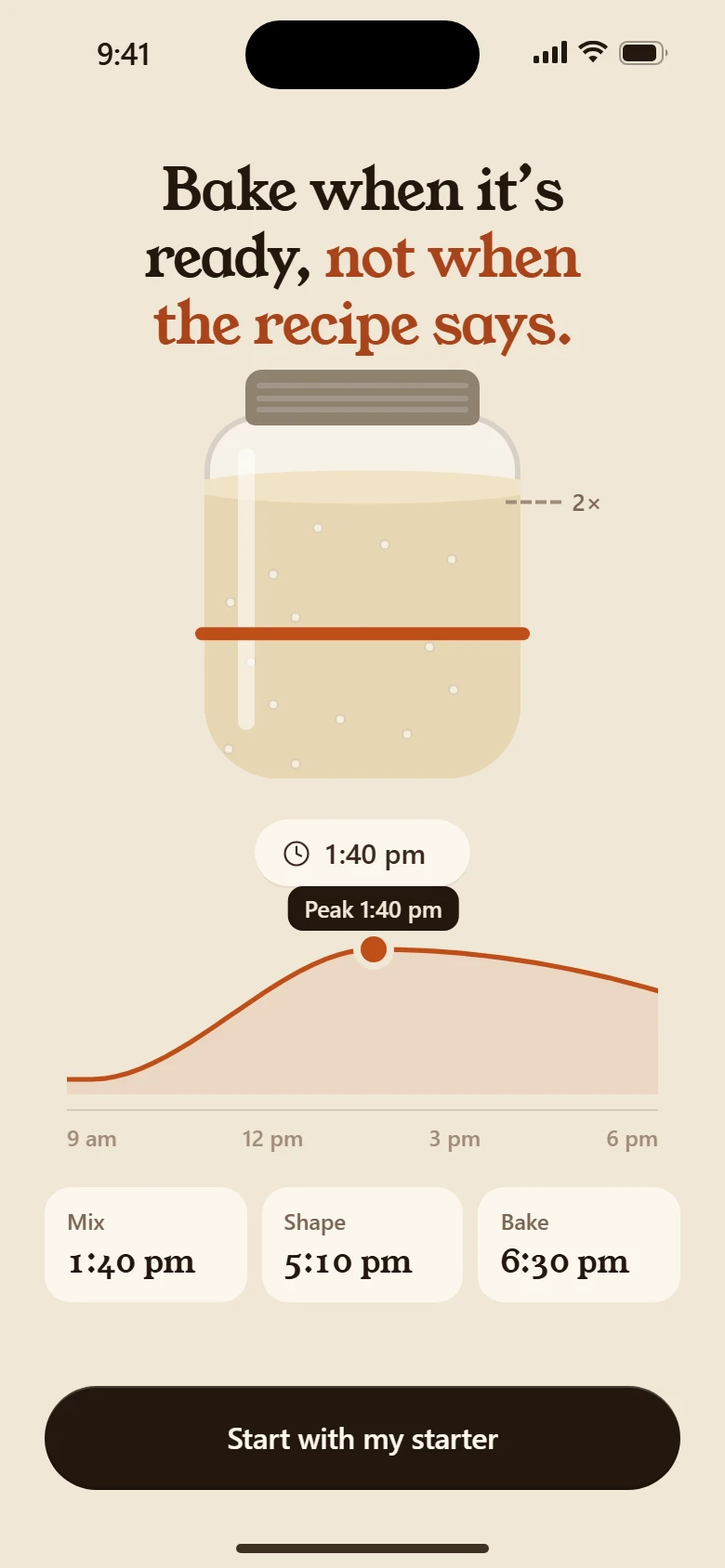
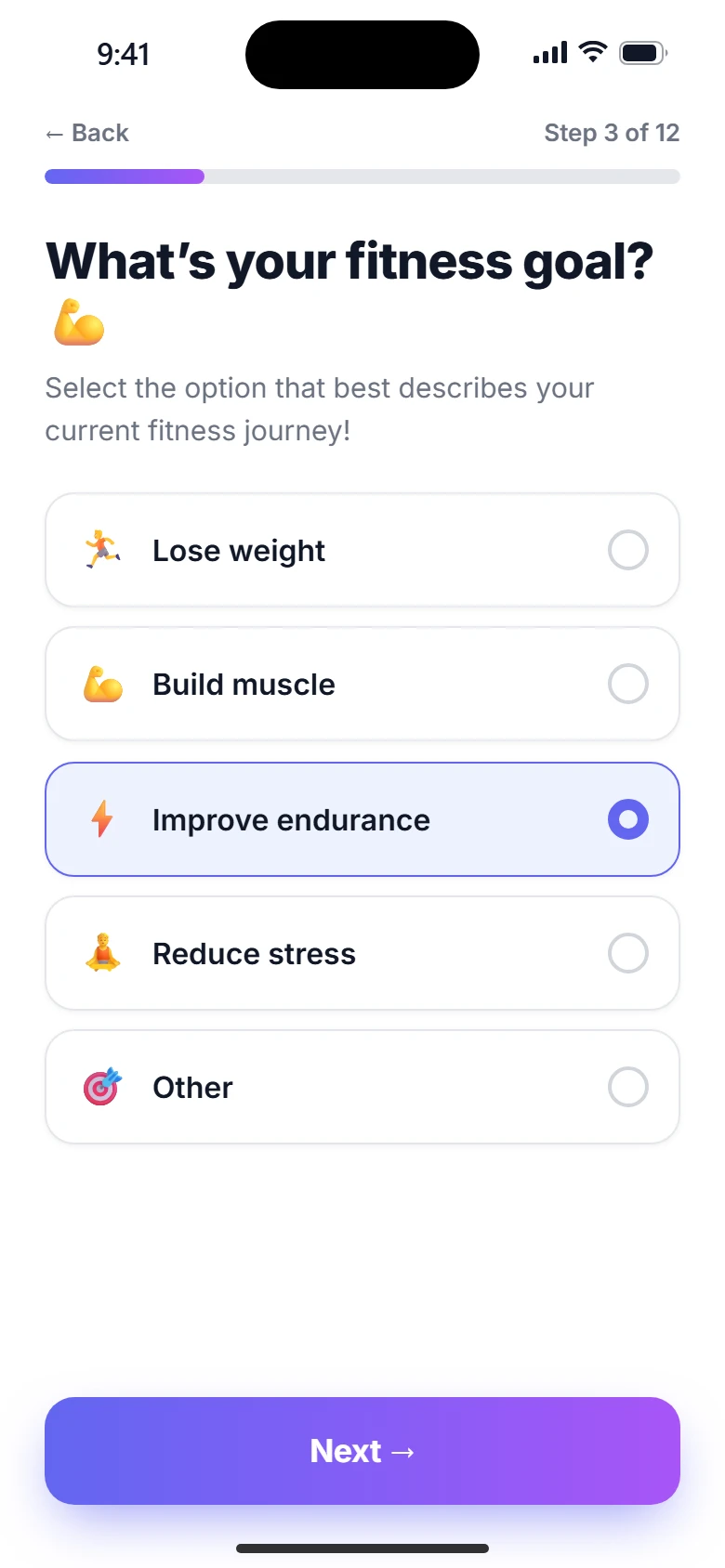
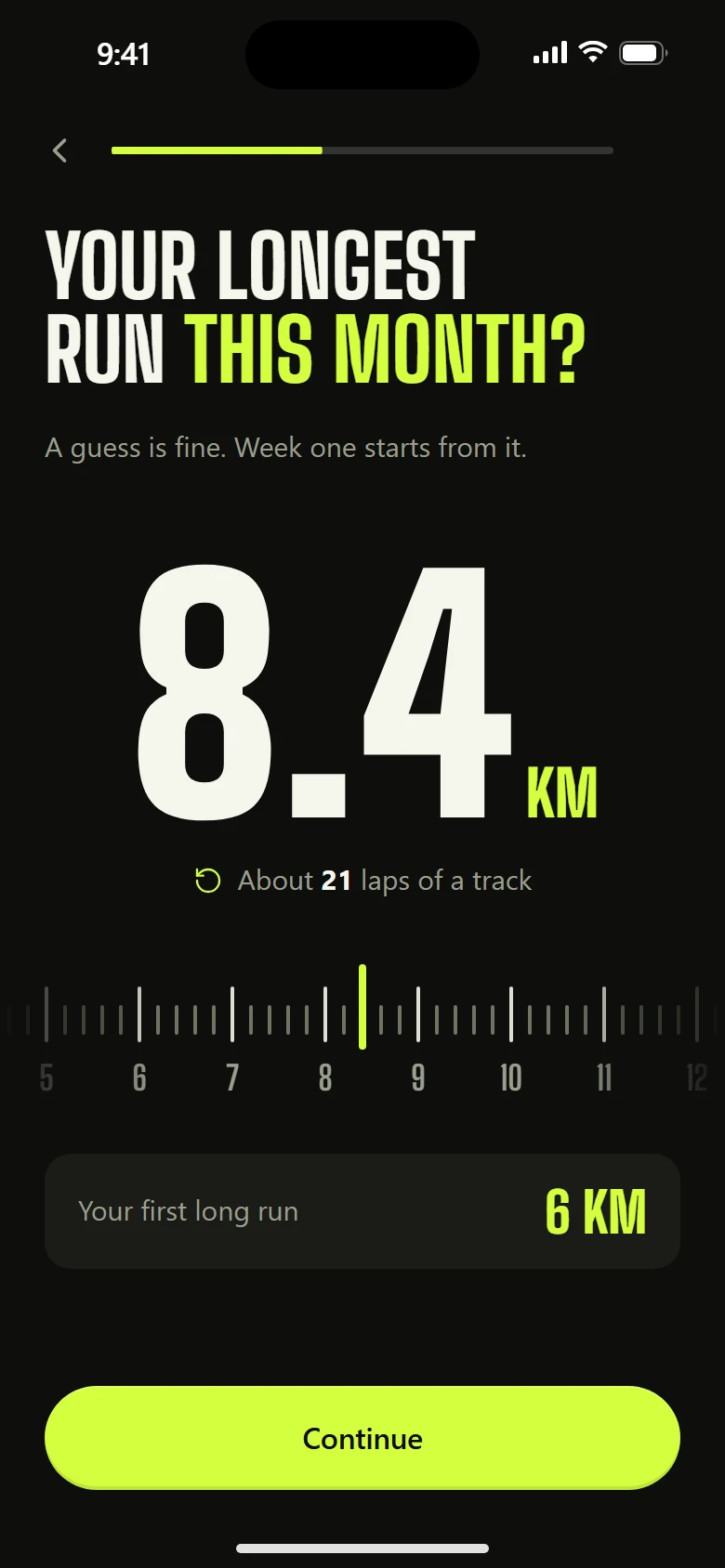
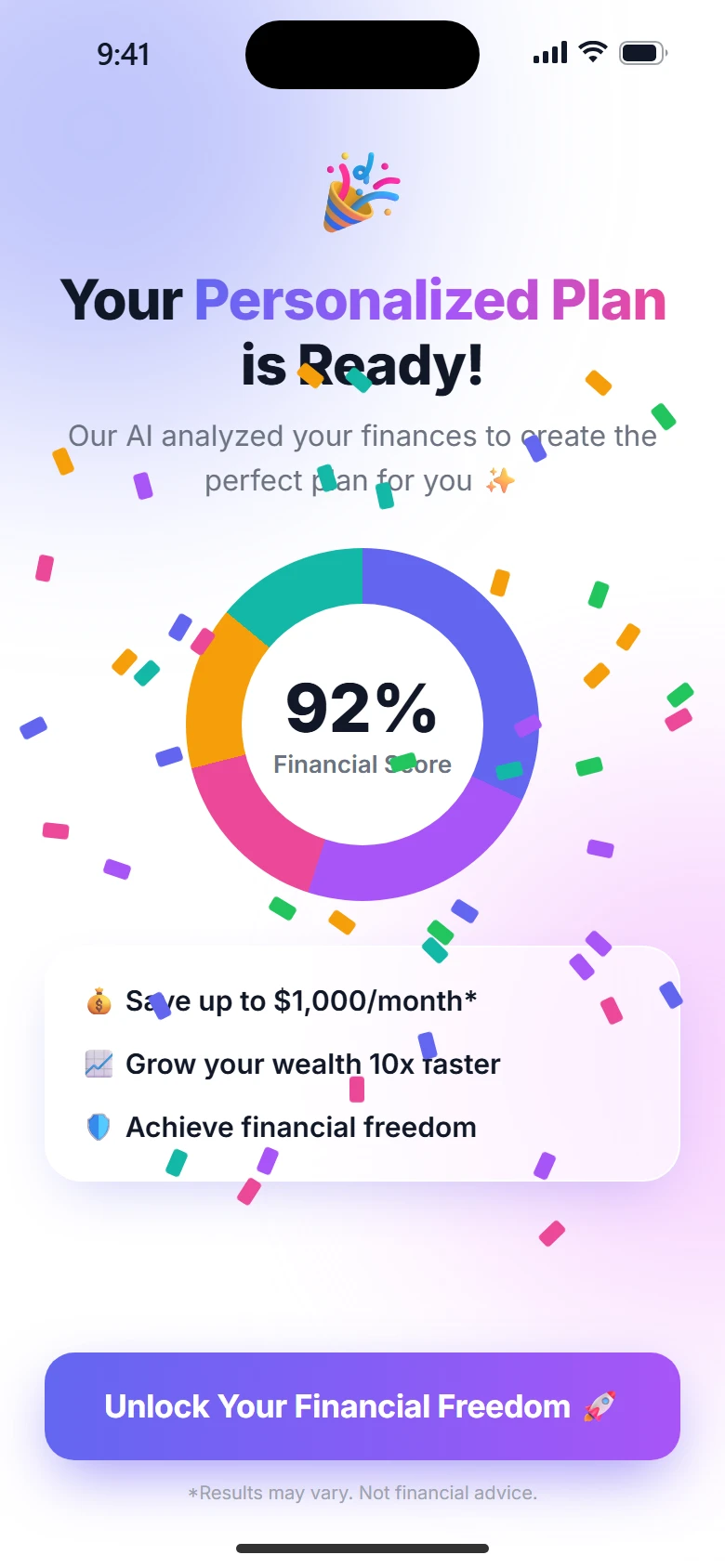
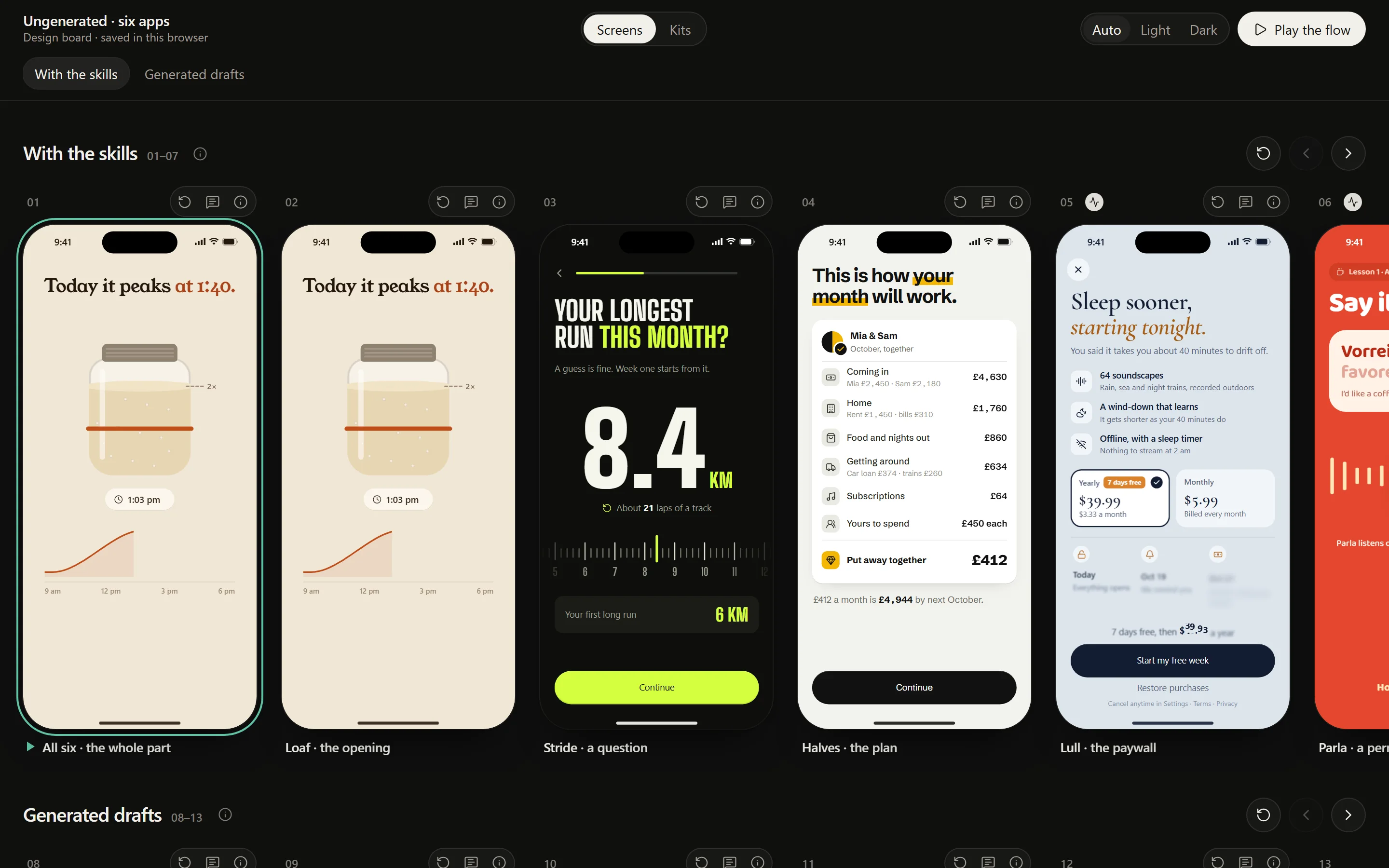
Six made-up apps, one step of each. The same prompt drew both rows; only the skills changed. Every phone below is a real screenshot of a live screen on the example board.

Loaf, the generated draftLoaf, with the skills
LoafThe opening
Stride, the generated draftStride, with the skills
StrideA question
Halves, the generated draftHalves, with the skills
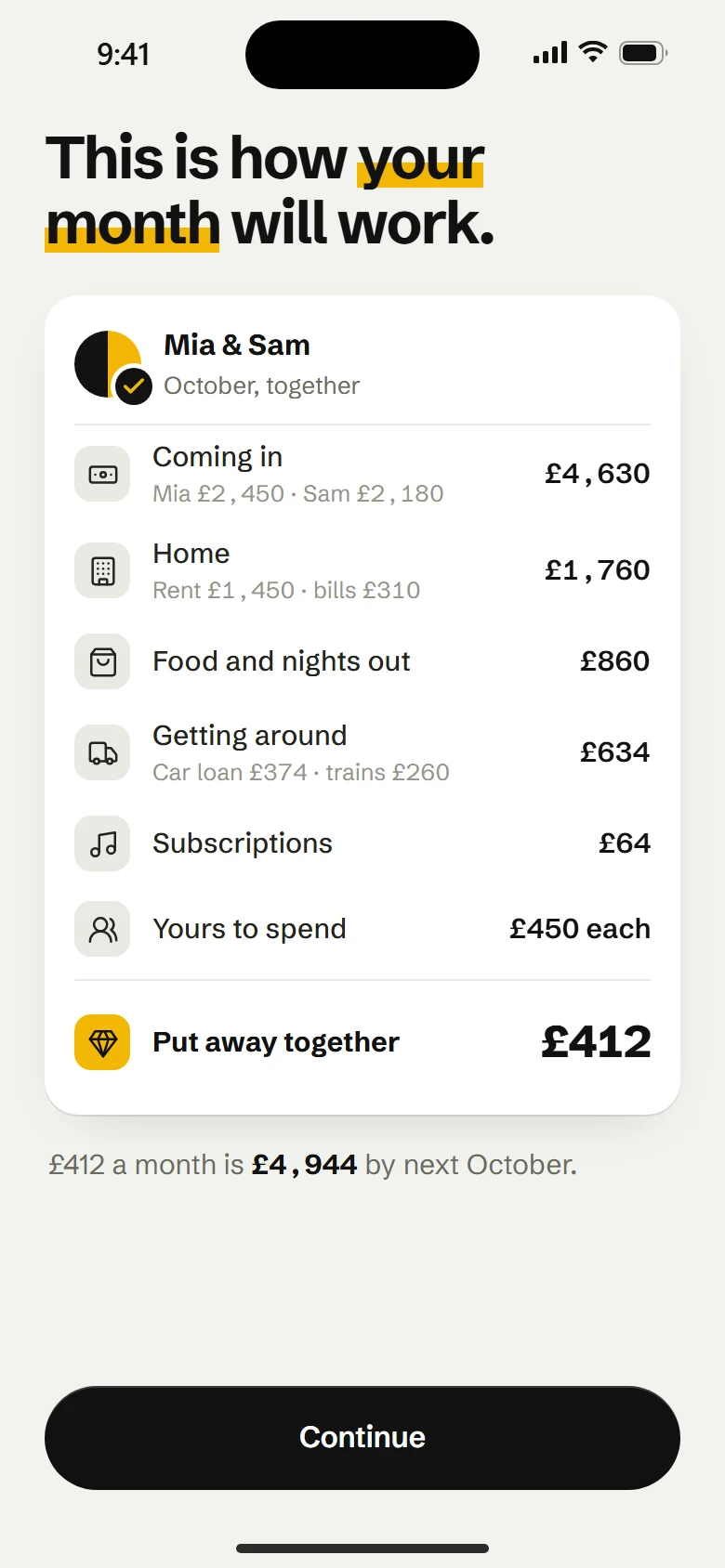
HalvesThe plan
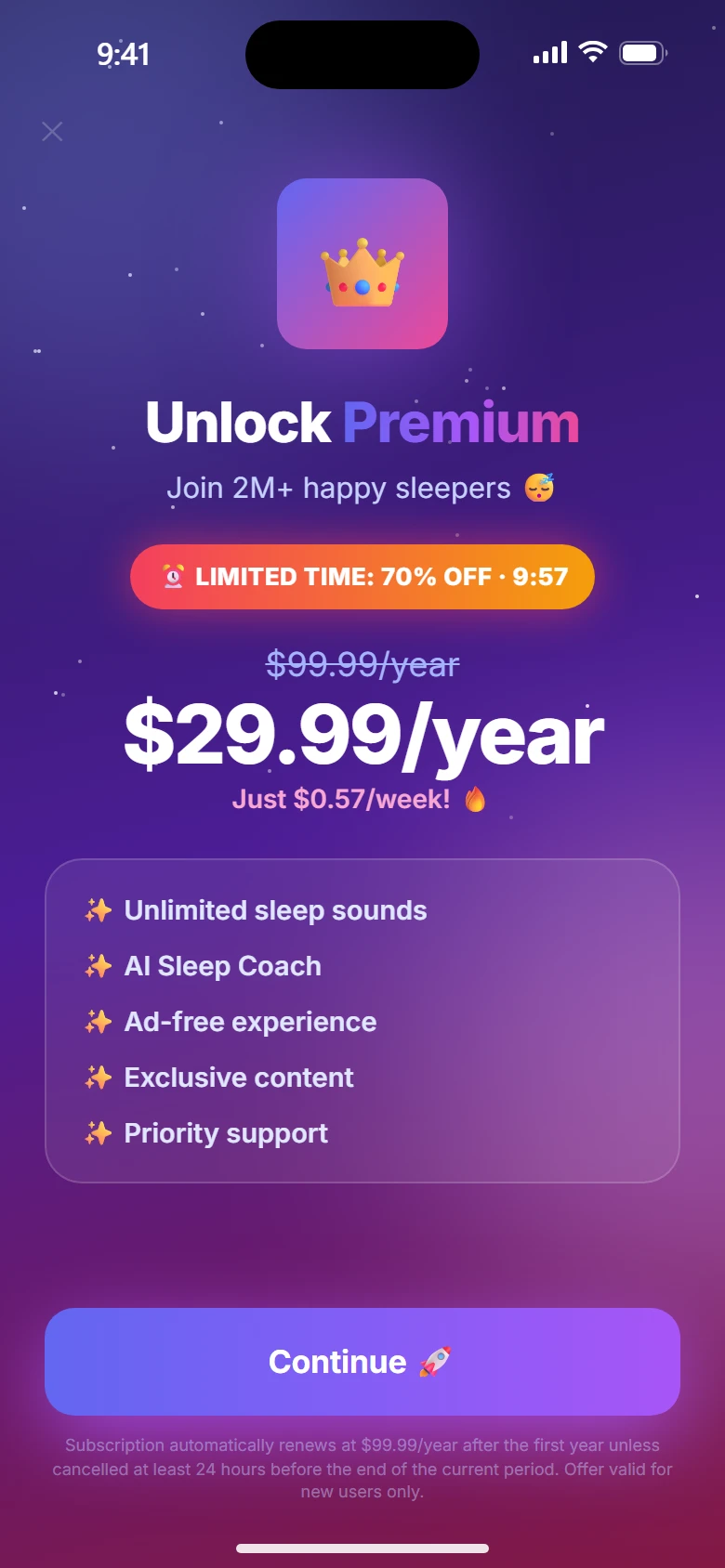
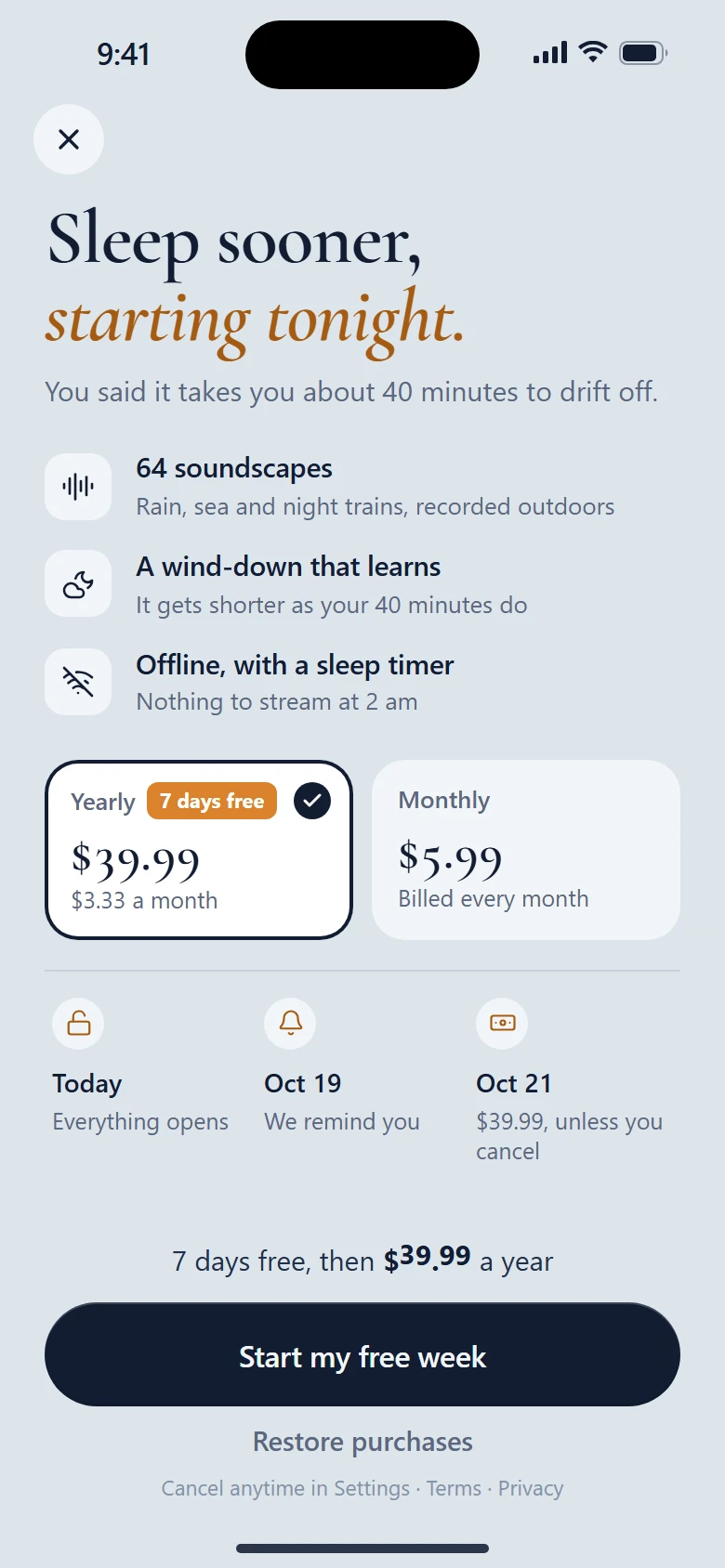
Lull, the generated draftLull, with the skills
LullThe paywall
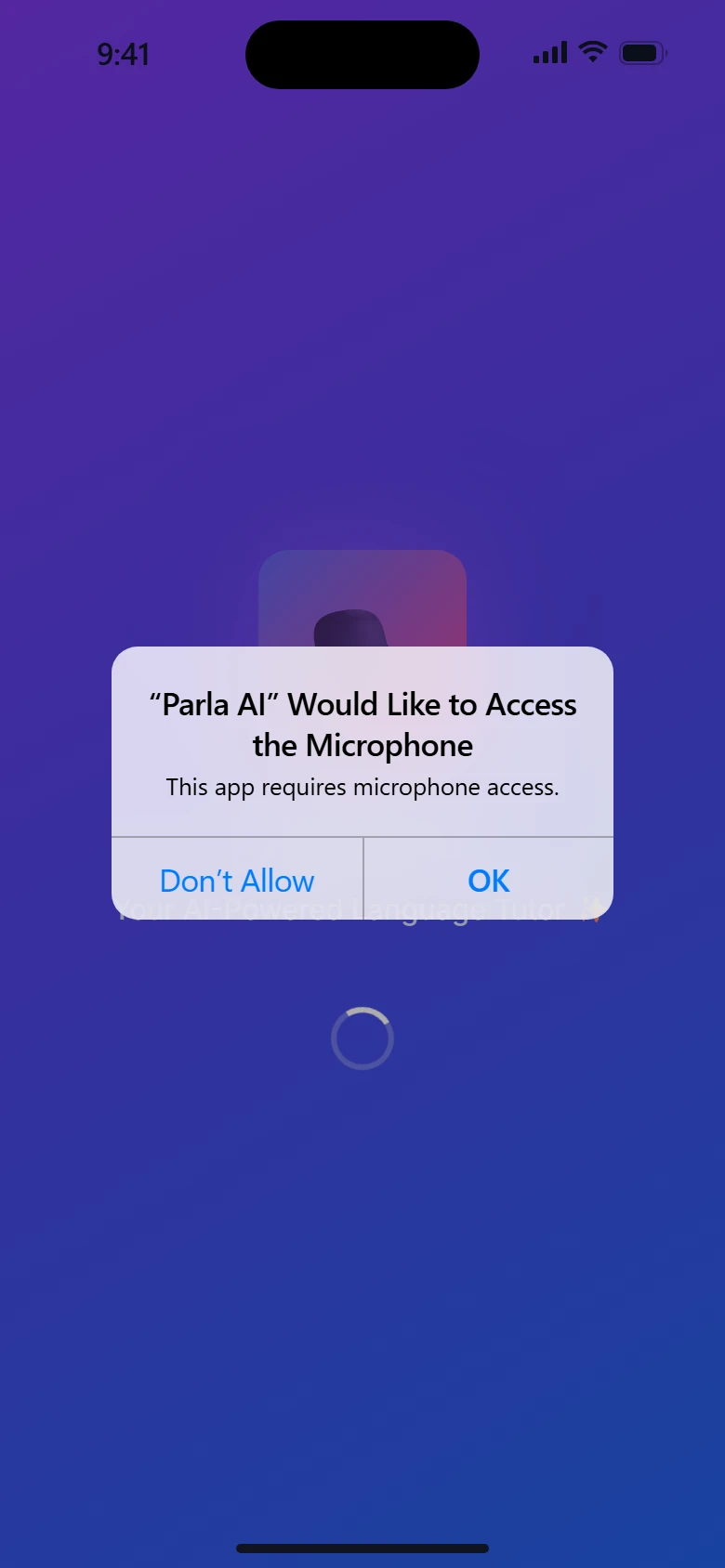
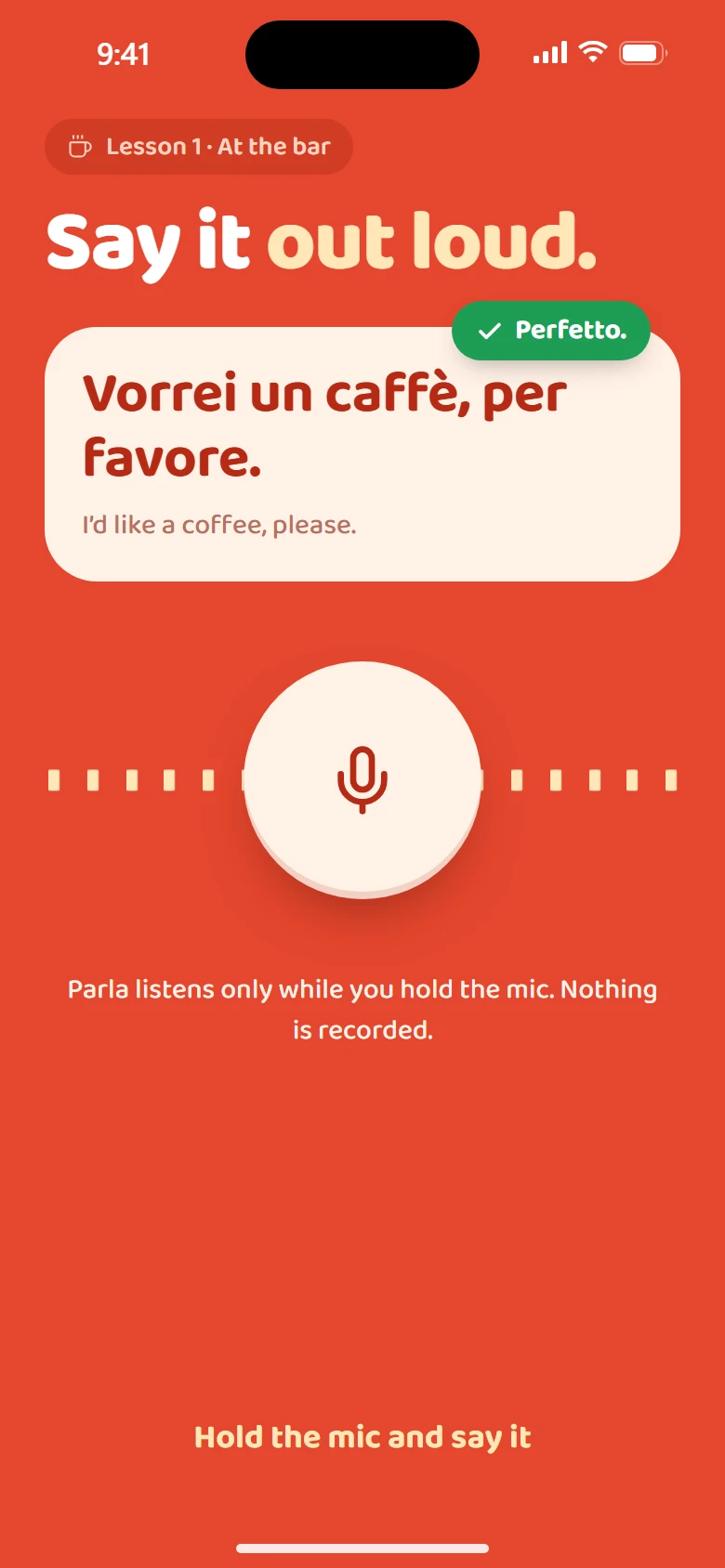
Parla, the generated draftParla, with the skills
ParlaA permission
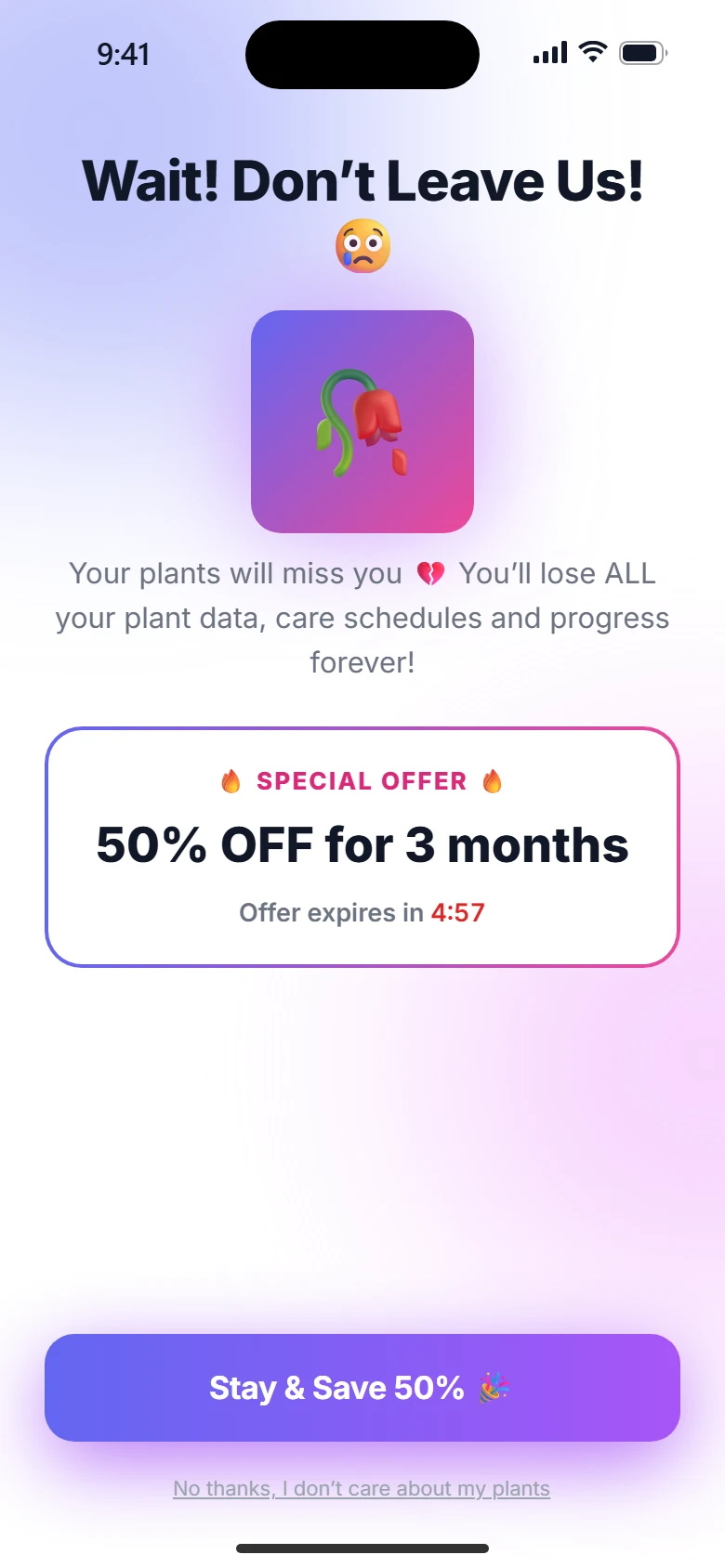
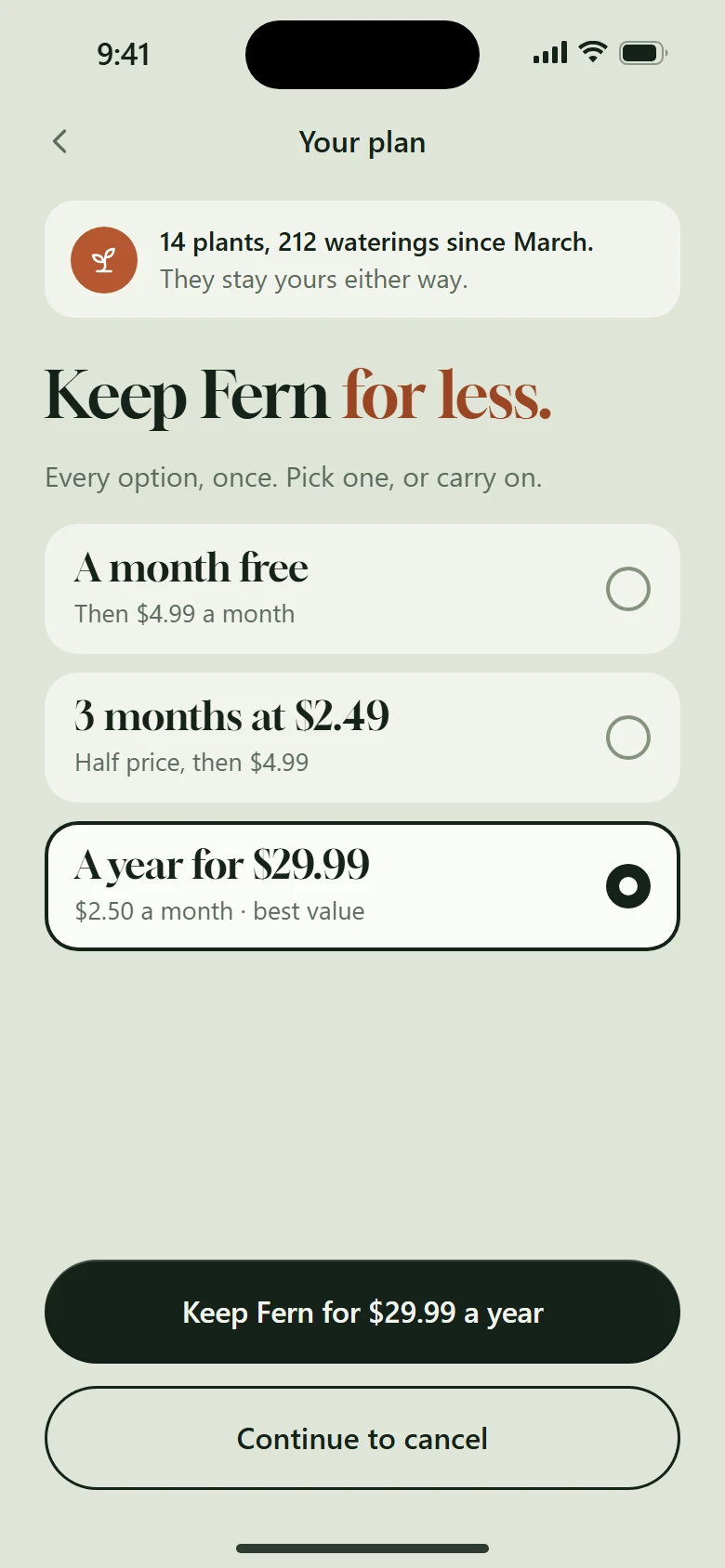
Fern, the generated draftFern, with the skills
FernLeaving

Corrections, app by app

Every change has a reason, and the reason is a skill.

Generated draft

What the draft did

    What the skills changed

      With the skillsLive. Tap it.

      Design kits, before and after

      One default kit, or a kit made for the app.

      The design-kit skill makes the kit before any screen: colour tokens, one type pairing, one radius scale, the parts in every state. Change a token and every phone on the board follows.

      Default ✨

      Generated

      What every model reaches for when nobody says otherwise.

      Indigo 500
      Violet 500
      Pink 500
      Gray 50
      Gray 900
      AaInterfor every word, in every app
      • 1Indigo to pink, on everything
      • 2Inter for every word
      • 3Emoji where icons should be
      • 4rounded-2xl and shadow-lg on every card
      • 5A glow behind the hero
      Get Started 🚀

      Loaf

      The opening

      Warm, slow, a kitchen at seven in the morning

      Flour
      Crumb
      Crust
      Rye
      AaYoung Seriffor headings; the system face for the rest
      Continue

      Stride

      A question

      Loud, fast, a track at night

      Asphalt
      Lane
      Volt
      Chalk
      AaBig Shoulders Displayfor headings; the system face for the rest
      Continue

      Halves

      The plan

      Plain, exact, a kitchen table with the bills on it

      Paper
      Sheet
      Marigold
      Ink
      AaSchibsted Groteskfor every word
      Continue

      Lull

      The paywall

      Quiet, unhurried, the hour before sleep

      First light
      Pillow
      Lamp
      Midnight
      AaCormorant Garamondfor headings; the system face for the rest
      Continue

      Parla

      A permission

      Bright, bubbly, a café counter in Bologna

      Pomodoro
      Brick
      Crema
      Milk
      AaBaloo 2for every word
      Continue

      Fern

      Leaving

      Green, patient, a windowsill in spring

      Sage
      Leaf
      Terracotta
      Fern
      AaGloockfor headings; the system face for the rest
      Continue to cancel
      Motion, before and after

      Press both. The difference is in your thumb.

      Generated motion is a CSS transition on everything. The motion skills give each kind of thing its own physics: presses spring, content rises, money rolls, picks bloom from the finger.

      A press

      interaction-feel
      Generated

      Fades on hover. A phone has no hover.

      With the skills

      In to 0.97 and a point down in 90 ms, back on a spring.

      A pick

      bubbly-motion
      Generated

      The state swaps in one frame.

      With the skills

      The colour spreads from your finger; the check pops once.

      A price

      motion-system
      Generated$39.99

      The number is replaced.

      With the skills$39.99

      Money rolls on reels, left to right. Time never does.

      A screen arriving

      motion-system
      Generated
      Plan your week

      Everything bounces in at once.

      With the skills
      Plan your week

      The title focuses in; the rest rises in one wave.

      Copy, before and after

      Say the specific thing, in their numbers.

      1. Unlock your full potential with AI-powered sleep insights ✨You fell asleep 12 minutes sooner this week.human-copy · the person’s own numbers
      2. 🎉 Your Personalized Plan is Ready!This is how your month will work.plan-reveal · words are human
      3. Supercharge your workflow with seamless, effortless planningPlan tomorrow in two minutes.human-copy · never write “seamless”
      4. Wait! Don’t leave! You’ll lose EVERYTHING 😢14 plants, 212 waterings. They stay yours either way.cancel-flow · say what they keep
      5. Oops! Something went wrong. Please try again later.That didn’t save. Your changes are still here.human-copy · say what happened, and what to do

      The design board

      Every screen a live phone, before a line of Swift.

      The design-board skill ships a template: every screen of the app as a working 390 × 844 phone in rows, the kit in its own view, Pick and Note on every card, and Play the flow, full screen. Review it with your thumb, then port what you approved.

      iammirrr.github.io/ungenerated/board The example board: a row of six live phones made with the skills, and the generated drafts under them
      • Live phones. Every card plays its own demo; the whole-part card plays a section in order.
      • Pick and Note. Choose between variations and leave notes on the screens themselves.
      • Play the flow. Walk the journey full screen with the real transitions.
      • Kit, research, transitions. Each in its own view, in the order of the work.

      28 skills

      The whole app, from the first idea to the App Store.

      01

      Start here

      How the work runs, and what the app is before anything is drawn.

      02

      Foundation

      The kit, the motion, the feel under the finger, and words that sound like a person.

      03

      The board

      Where every screen lives as a working phone, and how it gets reviewed.

      04

      The flow

      Every screen of a subscription app, from the first beat to the cancel button.

      05

      Quality

      The checks that keep it honest, and the way to native code and the App Store.

      Install

      Two lines. Then ask for a screen.

      1. Add the plugin in Claude Code.
      2. Ask for what you are making: “Design the onboarding for my habit app.” app-design-workflow starts with the concept and the kit.
      3. Review on the board, with Pick and Note, then port the approved screens with native-port.
      /plugin marketplace add iammirrr/ungenerated
      /plugin install ungenerated@ungenerated